Company Settings overview
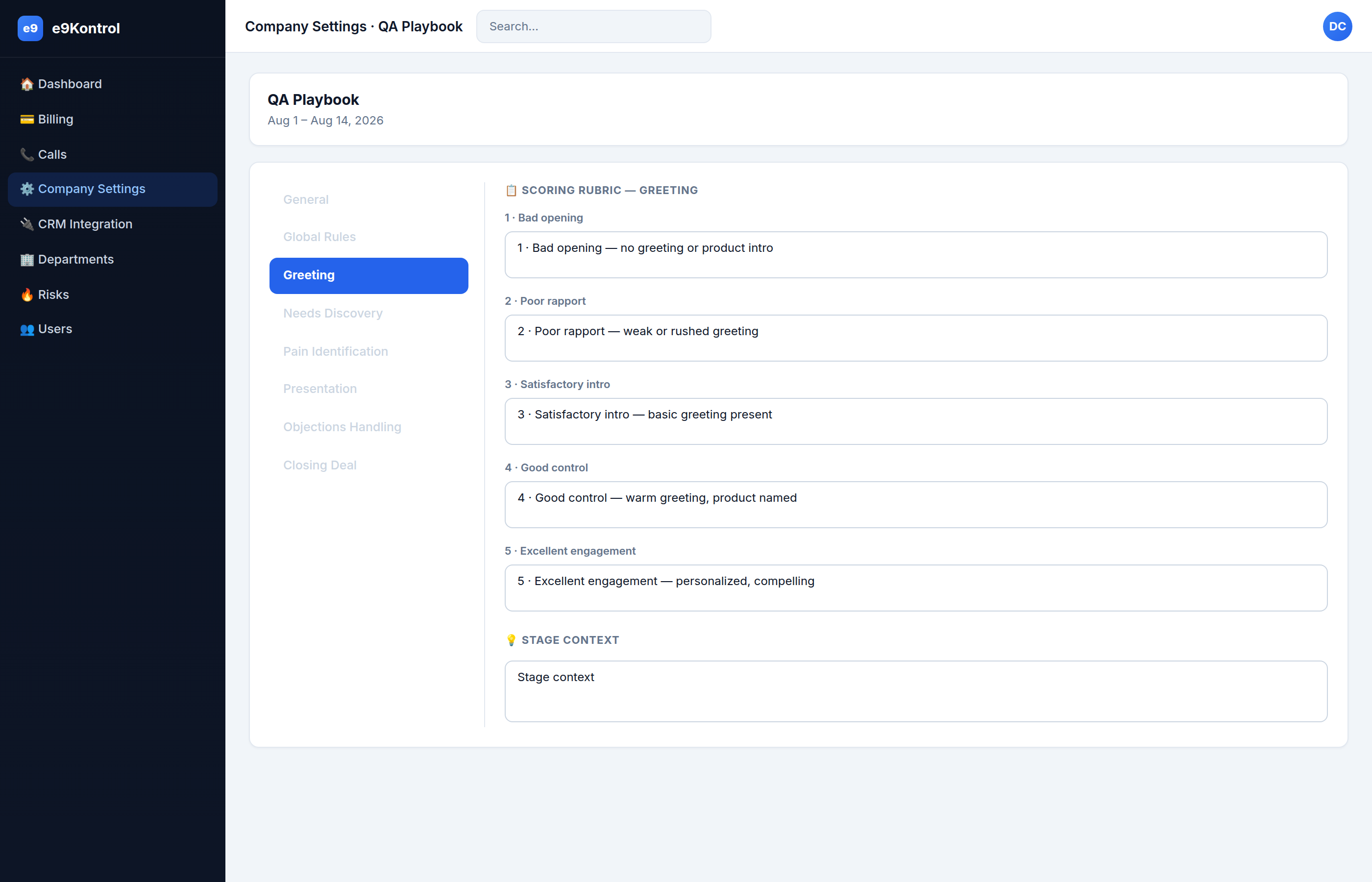
Company Settings is where you configure how e9Kontrol evaluates your calls. It is organized into 10 tabs:
- General — company profile and the facts to extract from each call.
- Global Rules — the overall 1–5 quality scale, violations, difficulty, and lead ranks. 3–8. The six stages — each with its own scoring rubric.
- Smart Playbook — generate a draft playbook from a document or good-call recordings.
- Alerts — which Telegram chats receive alerts.
How scoring works
Every call is scored from 1 to 5:
| Score | Meaning |
|---|---|
| 5 | Excellent — followed the playbook, no issues |
| 4 | Good — minor misses |
| 3 | Acceptable — several misses |
| 2 | Weak — important steps missed |
| 1 | Poor — critical failures |
Department vs company
- Playbook tabs (2–8) and Alerts are department-scoped.
- The General tab is company-level and shared by all departments.
tip
Write your rules in plain, concrete language. "The agent stated a specific date and time" is better than "good closing".