General tab
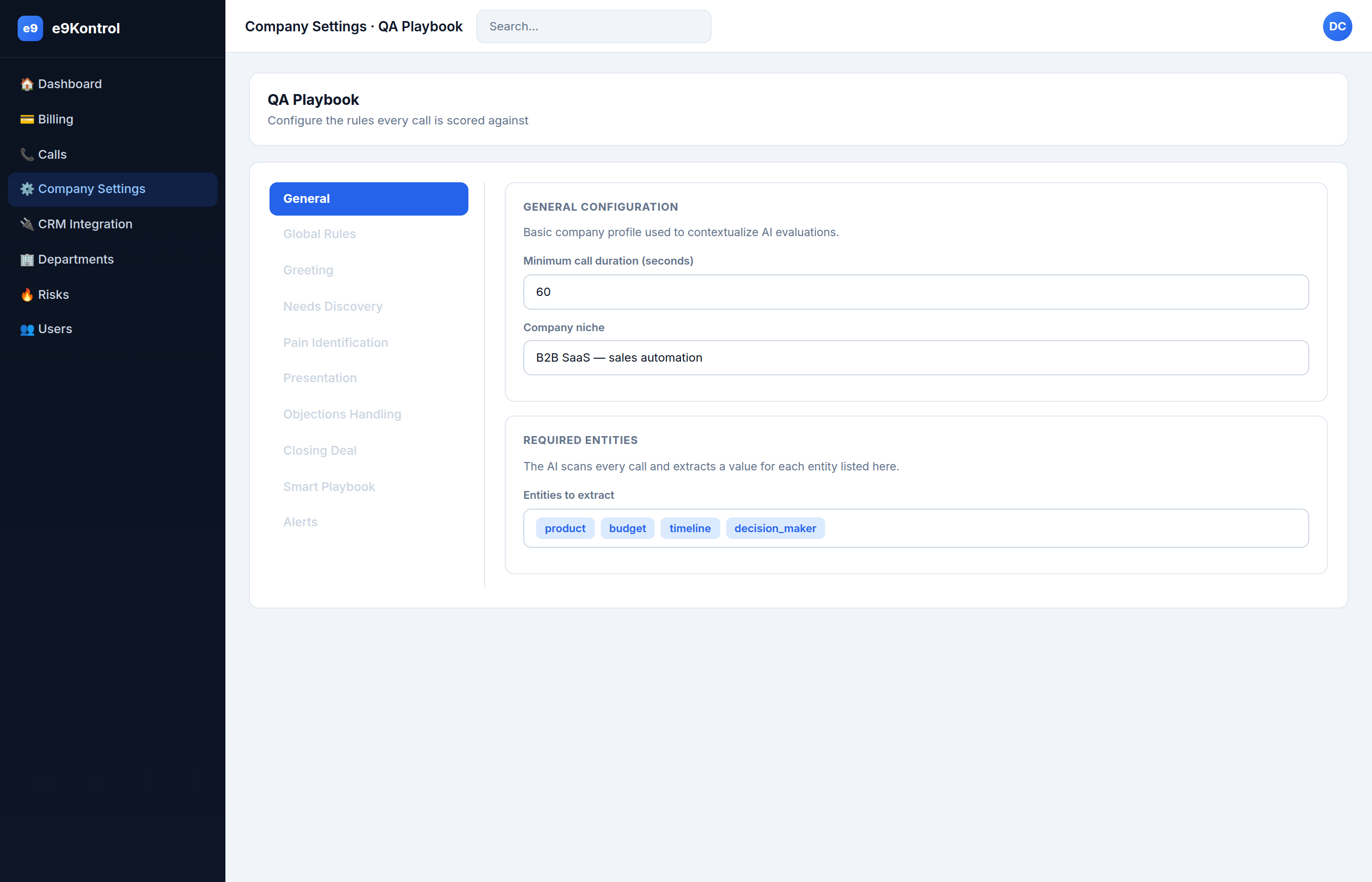
The General tab holds the basic profile the AI uses to understand your business.
General configuration
Minimum call duration (seconds)
The shortest call (in seconds) that is analyzed at all. Calls shorter than this are classified as brief (wrong number, too short, etc.).
- Example:
60 - Best practice: keep it at 60 or higher. Lower it only if your genuine sales calls are regularly shorter — otherwise you'll analyze noise.
Company niche
A short description of what your business does. The AI uses this to judge whether the agent's pitch was relevant.
- Example:
B2B SaaS — sales automation - Best practice: be specific about your product and industry. Vague niches produce vague relevance checks.
Required entities
A list of facts the AI should extract from every call transcript. Each call's Extracted Entities panel will show the values it found.
- Example:
product, budget, timeline, decision_maker - Best practice: use
snake_casekeys matching your CRM fields, so the extracted values align with your pipeline. Start with 3–6 high-value facts; too many dilutes the extraction.
tip
Entities that match your CRM fields let you later filter calls by those values (see Lead field filters).