Smart Playbook
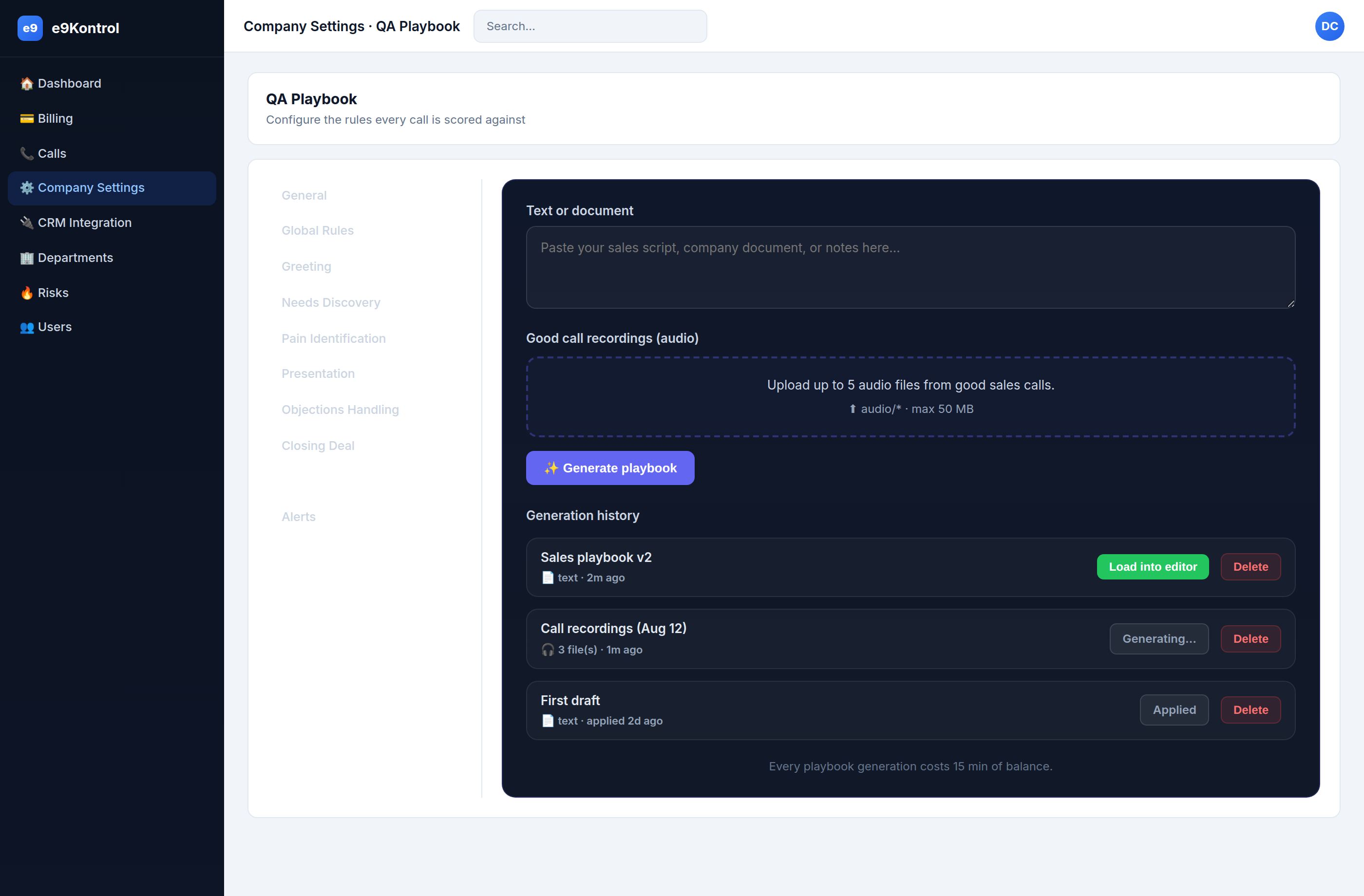
The Smart Playbook tab drafts a QA playbook for you automatically, from a document or recordings of good calls.
How it works
- Add input — paste a sales script, company document, or notes; and/or upload up to 5 recordings of good sales calls.
- Generate — click Generate playbook. e9Kontrol drafts the playbook (takes a few minutes).
- Review — the draft appears in Generation history. Click Load into editor to copy it into the tabs below.
- Edit & save — review and adjust the draft, then Save.
The cost
note
Every playbook generation costs 15 min of balance. Make sure you have enough minutes in your balance before generating (see Billing & Plans).
Generation history
Every generation is kept in a list below the input, with its status:
| Status | What it means |
|---|---|
| Generating… | The draft is still being created. |
| Load into editor (green) | The draft is ready — click to load it into the editor tabs. |
| Applied | The draft was loaded and saved into your playbook. |
| Generation failed | The draft failed — an error is shown; delete it and try again. |
Each entry also lets you rename it (click the name) and delete it.
Audio requirements
- Up to 5 audio files per generation.
- Audio only (
audio/*), max 50 MB each. - Use recordings of your best calls — the draft encodes what good looks like.
Best practices
- Paste your real sales script or talk track — the draft mirrors how you actually sell.
- Upload recordings of your best calls, not average ones.
- Always review before saving: the draft is a starting point, not a finished playbook.
note
The draft is department-scoped, like the rest of the playbook. Loading a draft marks it as unsaved until you review and Save.