Header & score gauge
The header sits at the top of every call view. It answers three questions at a glance: who, when, and how good.
Agent & metadata
On the left you see the agent's avatar and name, and beneath it a line of metadata:
- 📅 Date & time — when the call happened ("Today 14:32", "Yesterday", or
dd.mm.yyyy). - ⏱ Duration — the call length in
mm:ss. - 📋 Pipeline › status — the CRM pipeline and stage the lead is in.
Badges
A row of colored pills describes the call:
| Badge | What it means |
|---|---|
| 📞 Call type | The kind of call (primary sales, brief, etc.). |
| Lead rank | How hot the lead is — 🔥 Hot, 🌡 Warm, ❄️ Cold, ✗ Unqualified. |
| Sentiment | The client's mood — 😊 Positive, 😐 Neutral, 😟 Hesitant, 😠 Frustrated, 😡 Negative. |
| ⚙️ Difficulty | How hard the call was — from Easy to Extreme. |

CRM & Play buttons
On the right are two quick actions:
- CRM ↗ — opens the lead in your CRM.
- ▶ Play — opens the floating audio player (see Audio player).
Score gauge (dual ring)
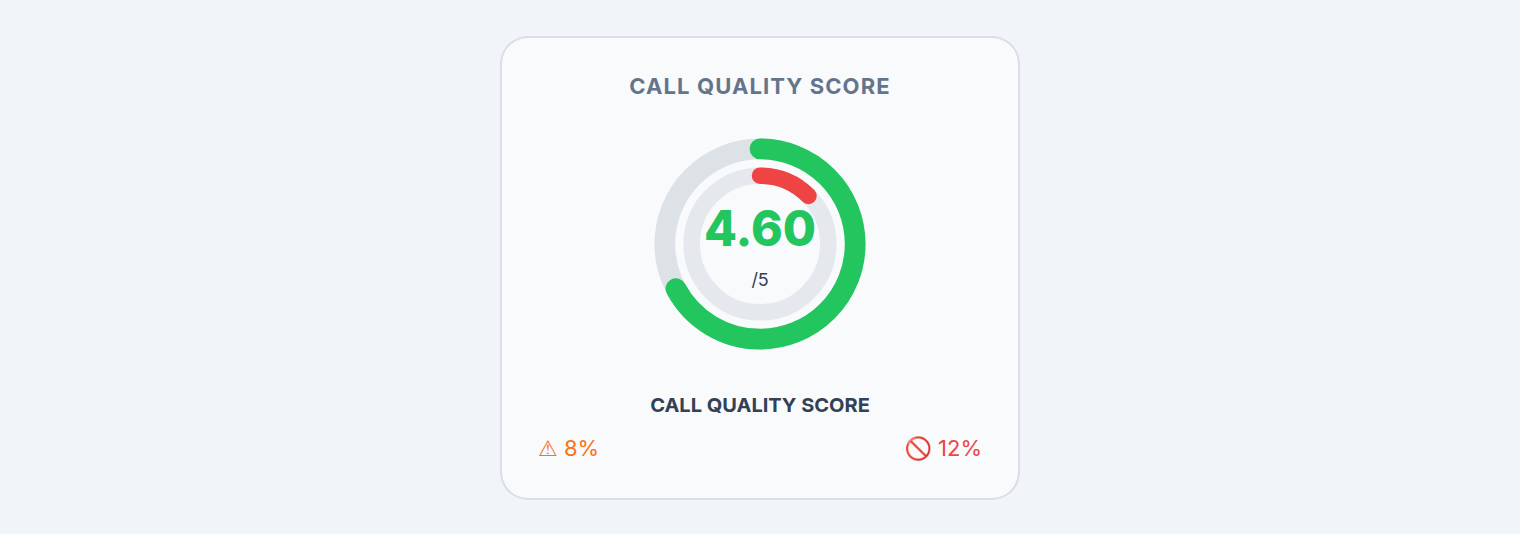
The gauge has two rings:
- Outer ring (colored) — the Call Quality Score from 1 to 5. Green is good, red is bad.
- Inner ring (red) — the Violation Rate — the percentage of rules broken.
The big number in the middle is the score / 5. Below it, the technique and compliance violation percentages are listed separately.
note
The violation rate is an independent metric — it does not change the 1–5 score, but it shows you how many rules were broken. See the Performance tab for the exact deductions.
Hard-fail & high-risk banner
If a call has a critical problem, a red banner appears at the top:

- CRITICAL COMPLIANCE FAILURE DETECTED — a hard-fail rule was broken; the call is failed regardless of its score.
- HIGH RISK CALL IDENTIFIED — a high-risk flag (less severe than a hard fail).
These calls should be reviewed first.